Icon of program: Soluto

Soluto for Windows

  • Free
  • 3.4
    428
  • 137.4K
  • V1.3.1498.0

Comprehensive Utility Tool for Windows Users

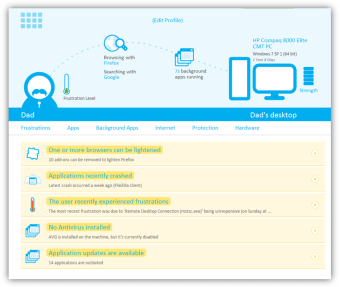
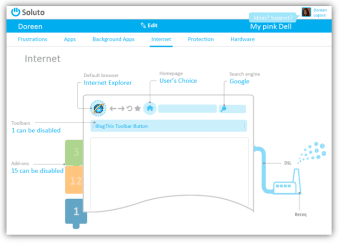
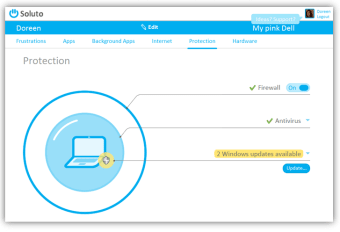
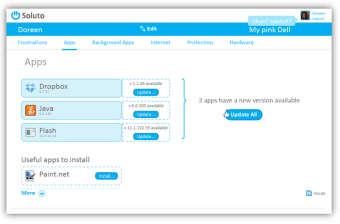
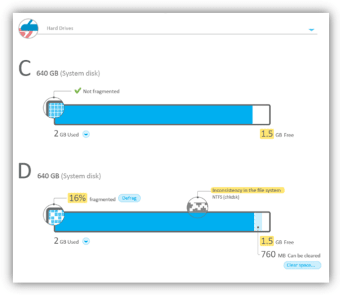
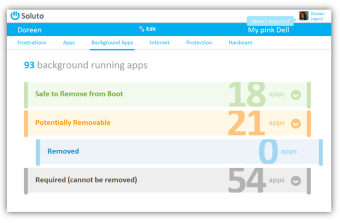
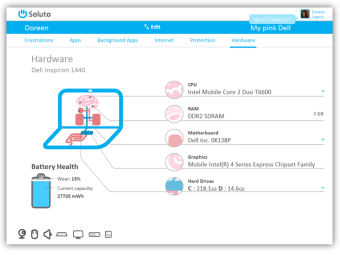
Soluto is a free utility application designed for Windows, aimed at enhancing system performance and user experience. It provides a variety of tools that assist users in managing and optimizing their PC. Key features include system diagnostics, application management, and performance analysis, making it a valuable resource for users looking to streamline their computing tasks.

Top Recommended Alternative

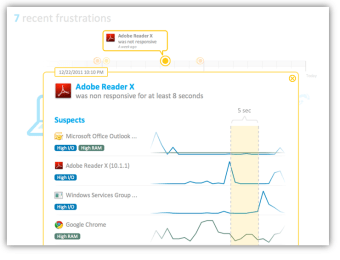
With its user-friendly interface, Soluto allows users to easily navigate through its features. The program focuses on identifying issues that may slow down the system and offers solutions to improve overall efficiency. By utilizing this tool, Windows users can gain insights into their applications and system health, ensuring a smoother and more responsive computing experience.


 0/11

App specs

Program available in other languages


Icon of program: Soluto

Soluto for PC

  • Free
  • 3.4
    428
  • 137.4K
  • V1.3.1498.0

User reviews about Soluto

3.4

9 reviews

Add review

Main reviews for you

  • Anonymous user

    Locks up my computer. Don not install! Totally locks up my computer at different times, especially when I open either Firefox or Chrome. It also leaves registry entries that cannot be found by registry cleaners or malware cleaners. What a nightmare this has been! Pros: NOTHING Cons: Pure crap, should not be available anywhere.


  • Anonymous user

    AVOID IT! . Google it up. The reviews are very mixed. Many hate this program. My suggestion: AVOID IT! After going through all the set-up, I saved a whopping 15 seconds of boot time. Meanwhile, my adobe flash player is now glitchy on all three computers I had Soluto installed on. Needless to say, I uninstalled this poor product. Pros: Saved 15 seconds on my boot-up Cons: Introduced instability in my computer that persists even after I uninstalled it.

  • Anonymous user

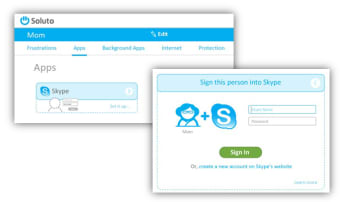
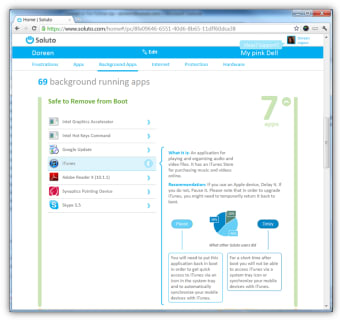
    Amazingly useful. Until Soluto I had to find exactly what programs boot at startup and disable them manually. After Soluto, there's nothing easier!Soluto offers a simple and elegant interface, yet as useful and intuitive as it gets.It helps you either stop (or delay) all sorts of useLESS things that slow down your startup, and now can even stop annoying browser addons, help your technophobical relatives over the net and much more!To put it simply: you're computer may run fast with CCleaner etc., but without Soluto, it would take another 2 minutes for it to boot. Pros: - Fast, intuitive, simple- Useful- Control simple tasks over the net- Flawless. Cons: None so far, other than a few rare, rare, crushes (about 3).

  • Anonymous user

    Usa Internet de tiempo completo.. Segun es un programa para verificar que mis aplicaciones y utilerias esten bien instaladas y que no exista conflicto y en caso de que exista, repararlo.Eso suena muy bien pero en la practica es muy diferente. Pros: no vi ninguno. Cons: Hay programas stand alone que tienes en tu equipo y llevan a cabo la labor que promete hacer este programa.Se inicia todo el tiempo y siempre esta monitoreando mi equipo y reportando lo que pasa via internet a su server.No hizo ningun cambio, todo lo que se podia solucionar, ya estaba solucionado con otros softwares como tune up, ccleaner y otros.

  • Anonymous user

    Amazing Start-up Manager. I have tried many different start-up managers and before Soluto had been using Revo Uninstaller's start up manager. Soluto however takes things further than just enabling and disabling, with allowing you to delay apps as well.I use a lot of apps so my normal boot time is slower than most. Usually my boot time is around 2 minutes, and with Soluto I got it down to under one minute.The only downside to Soluto is the fact it doesn't always work. I have had to go into programs and launch it. But when it works it's amazing.This is an app I would recommend to anyone who has slow boot time. Just remember if your a novice user only disable the safe ones. And if in doubt, don't disable something. Pros: Lowers Boot TimeKeeps Track Of New AppsAllows You To Delay Apps Cons: Doesn't Start Up At Times

  • Anonymous user

    Fair program. its a fair program still in beta i used it for a few weeks had problems with it on windows 7 64BIT and i am waiting for the bugs to be ironed out will reinstall when out of beta it works but with faults i can control my start up programs better with Autoruns for Windows. Pros: causes crashes on my system Cons: not out of beta

More

You may also like

Alternatives to Soluto

Explore Apps

Related Articles

Latest articles

Laws concerning the use of this software vary from country to country. We do not encourage or condone the use of this program if it is in violation of these laws.
Softonic

Is Soluto safe?

100/100

Score result: Clean

This file passed a comprehensive security scan using VirusTotal technology. It is safe to download.

  • Virus free
  • Spyware free
  • Malware free
  • Verified by Security Partners

    VirusTotal logo

Scan Info

Last scan
Friday, September 20, 2024
Scan provider
VirusTotal · Full report

File Integrity

File
Soluto-32-bit.exe
SHA256
430efbb7ea3988c16a2b64725e3f2b8be199c9f34cbf9aaec24d45033484c76b
SHA1
eae0a7db5670f0b6fbc27c850240253b6b4ad485

Softonic security commitment

Soluto has been thoroughly scanned by our advanced security systems and verified by industry-leading partners. This file comes from the official developer and has passed all our security checks, showing no signs of viruses, malware, or spyware. For more information, visit our Security and Trust Center